To Illustrate Automation, I would be using the EventBridge events along with Automation document to stop the EC2 as soon as it started.
High Level Plan
- Create Master account EventBus and Configure child accounts EventBridge to send events to the master account
- Configure Master account to run Automation on Child accounts.
- Create EventBridge rule in Master account to execute the Automation
Configure EventBridge child accounts to send events to the master account
Low Level Plan
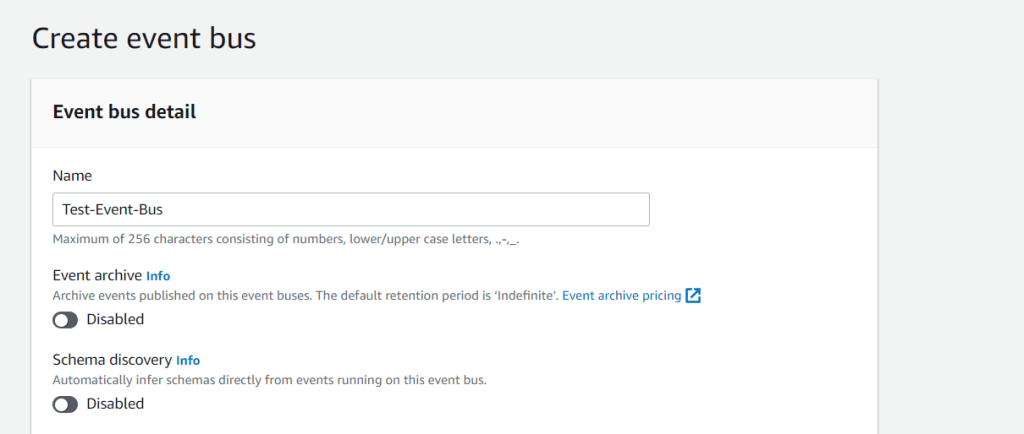
- Create EventBus in Master account and attach policy in accept events from the child accounts.
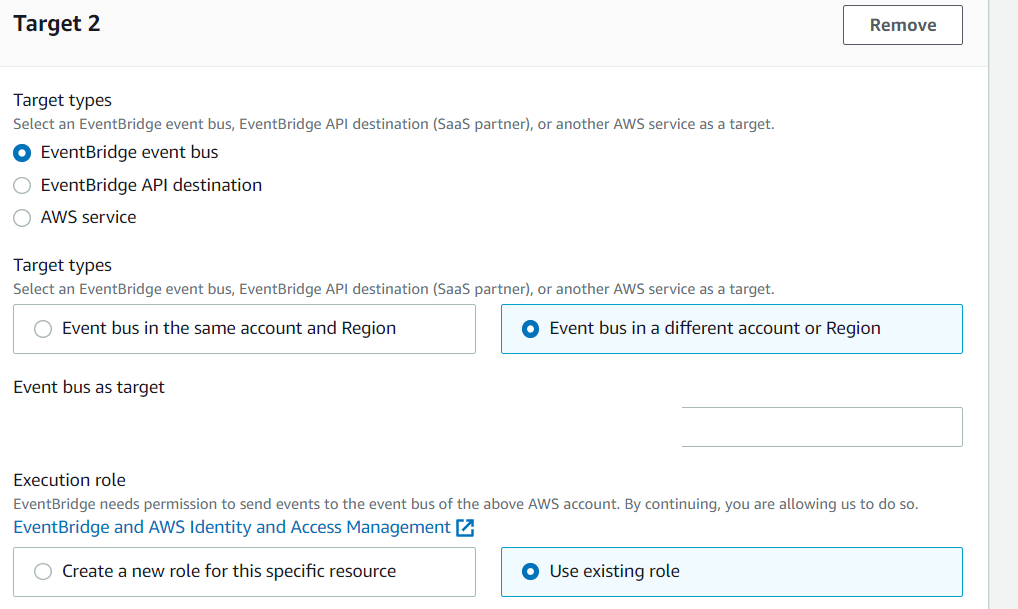
- Create rule in child account to send events to Master account
Create Event Bus
In the Account ID , Replace it with the child account ID
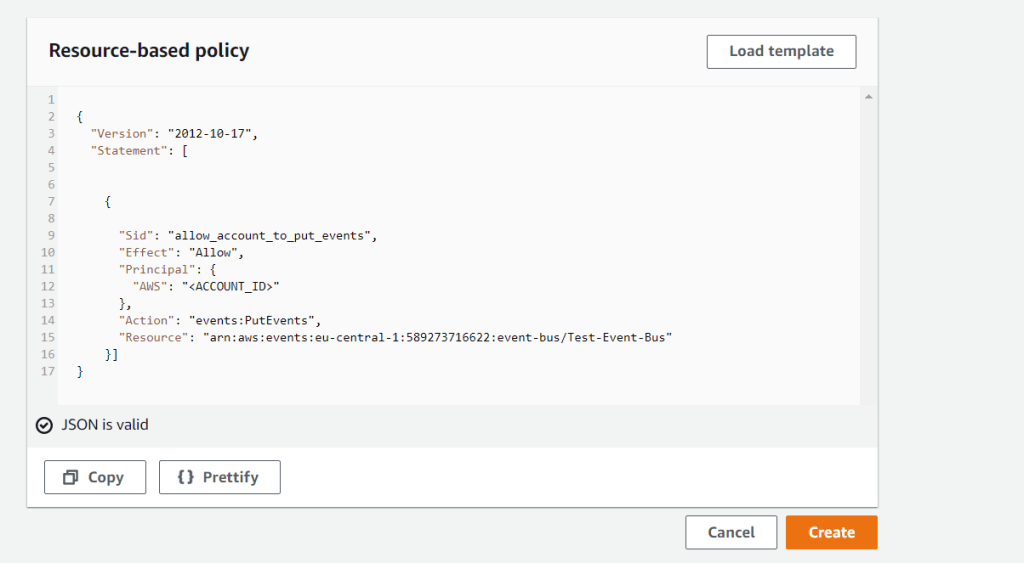
Copy the ARN of the EventBus.
In child account, Create Master account EventBus as the target, paste the ARN taken from the previous step.
Configure Master account to run Automation on Child accounts.
Low Level Plan
- Create IAM role in the Master and child account.
Use CFT’s in the link’s (link1 and link2) to create the IAM roles
link1 role = To be created in both Master and Child account
link2 role = To be created only in Master account. The role used to run the Automation document.
Create EventBridge rule in Master account to execute as the Automation
Low Level Plan
- Create EventBridge rule on the EventBus created in #1
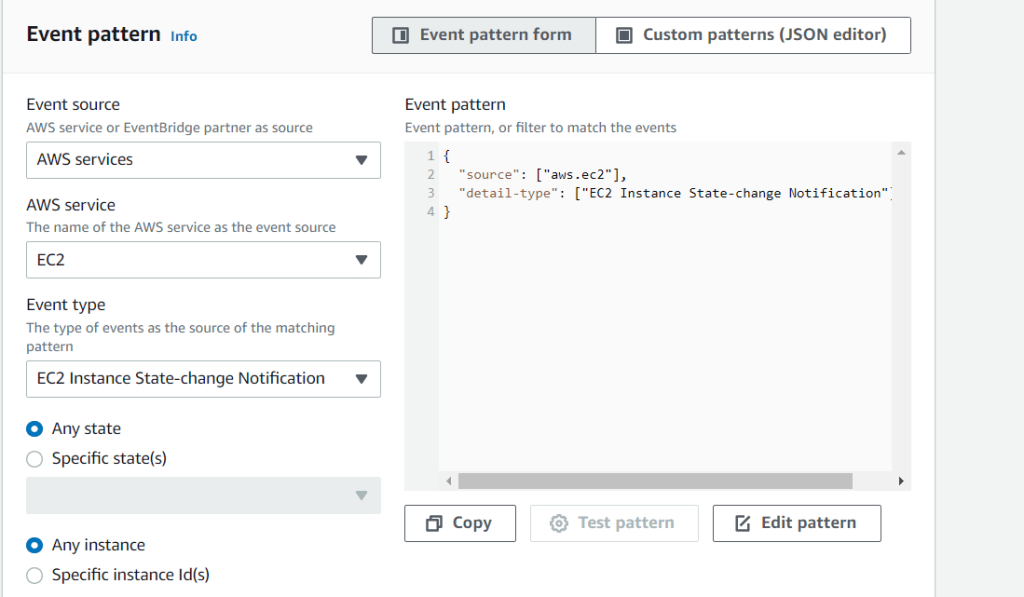
- Configure Event Pattern
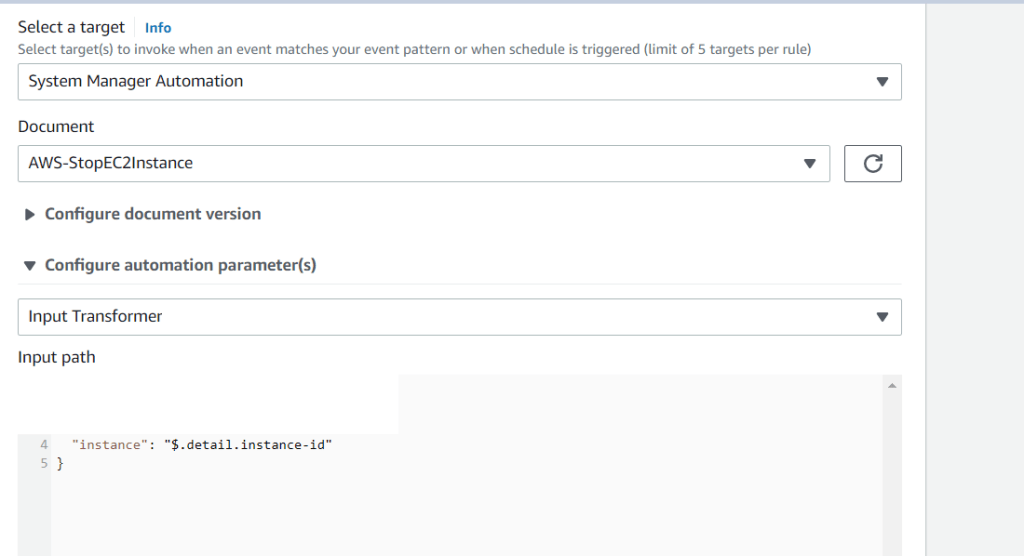
- Configure Target along with the inputs parameters
Choose the Event Pattern based on the requirement

Select the target , In this case Automation document. Input transformer is used to filter out the data you wanted from the JSON (event JSON (in this case)
You can use above methodology in number of use cases, To name few
Automate remediation for the posture automation (Using AWS config as source) , Event Driven Application Architecture .
Reference links:-




 Cyber Security Shots
Leave a comment